Volume Analysis Assistant
Analysis You Don't Have to Do
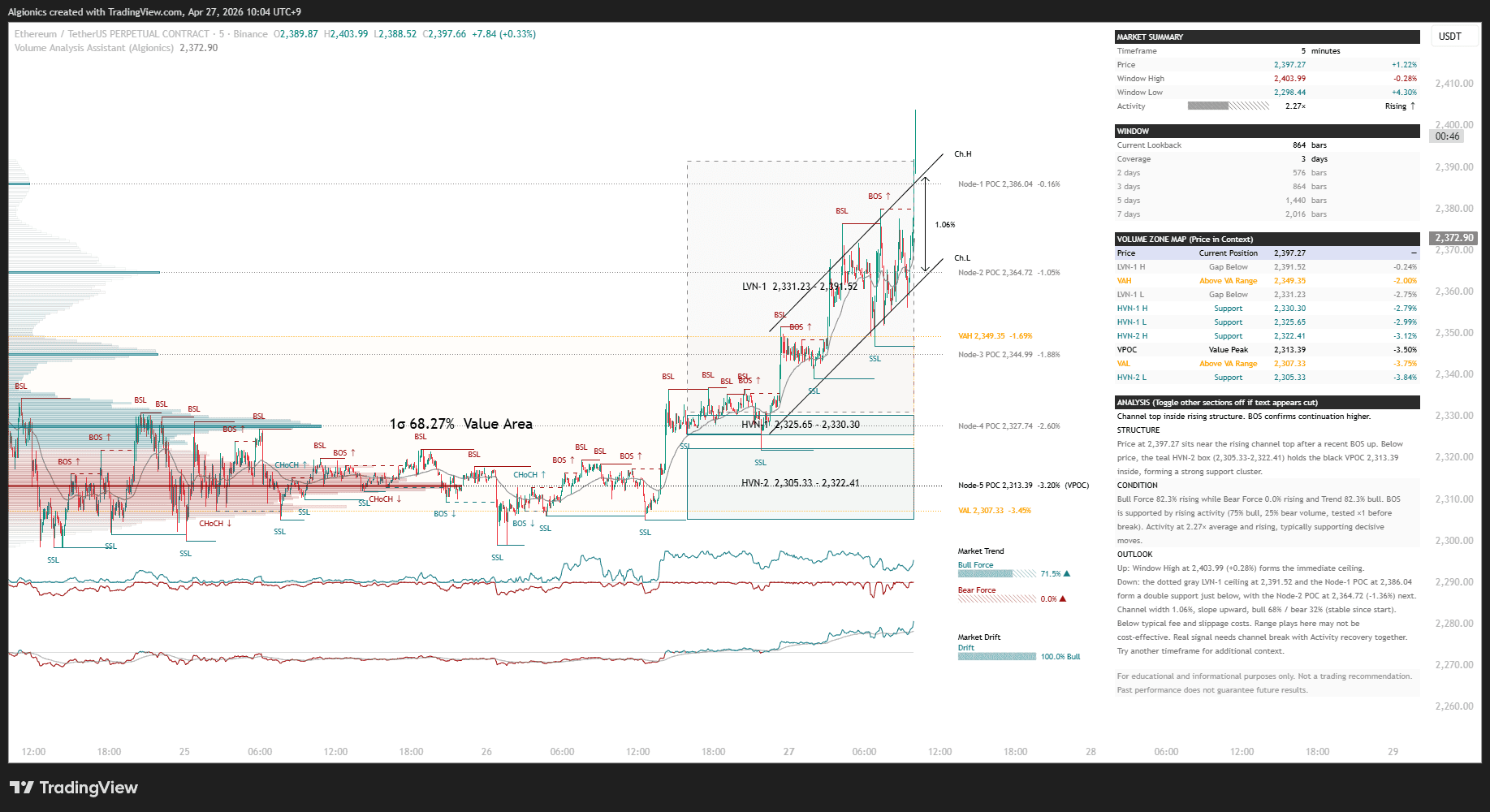
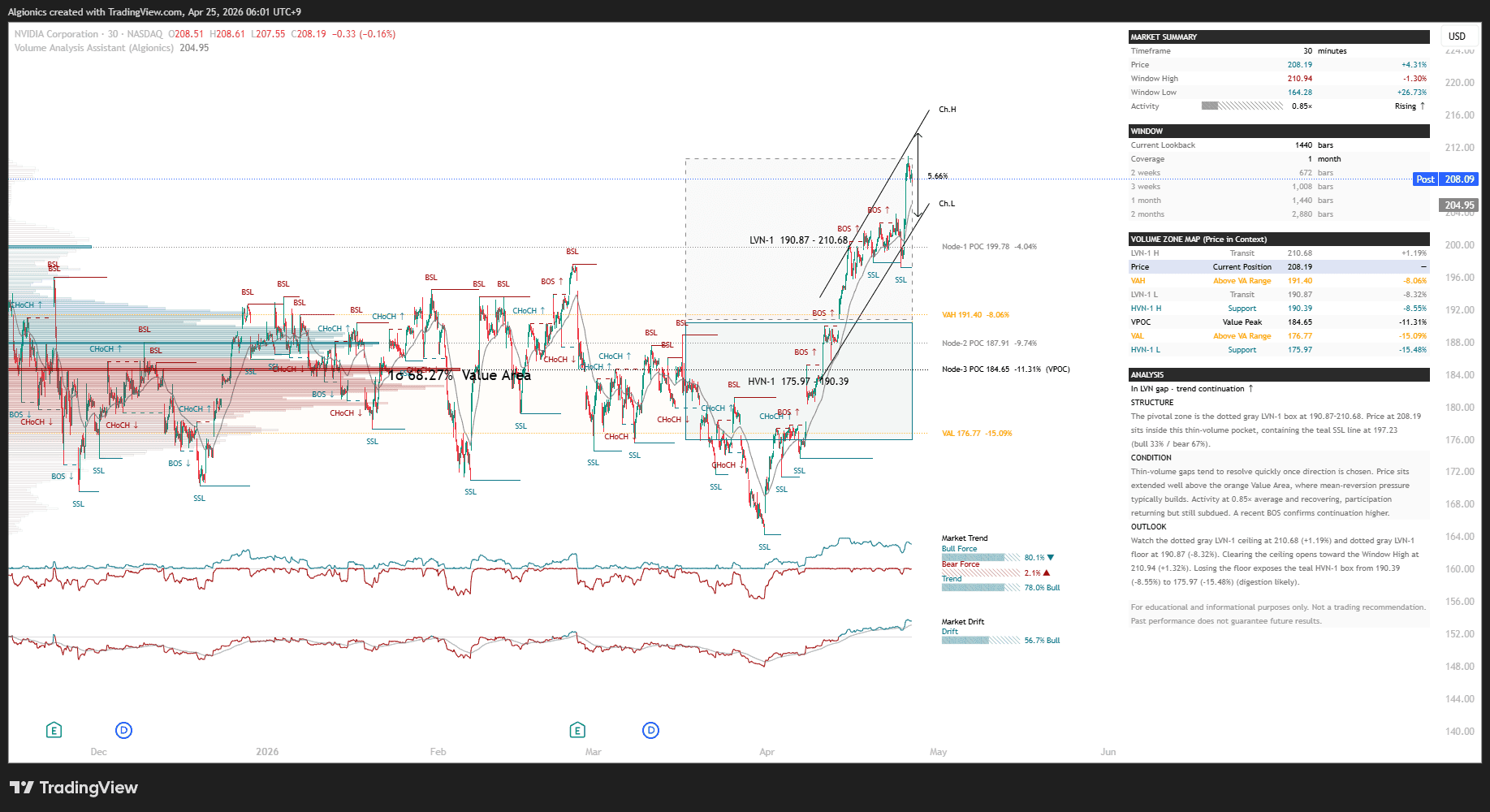
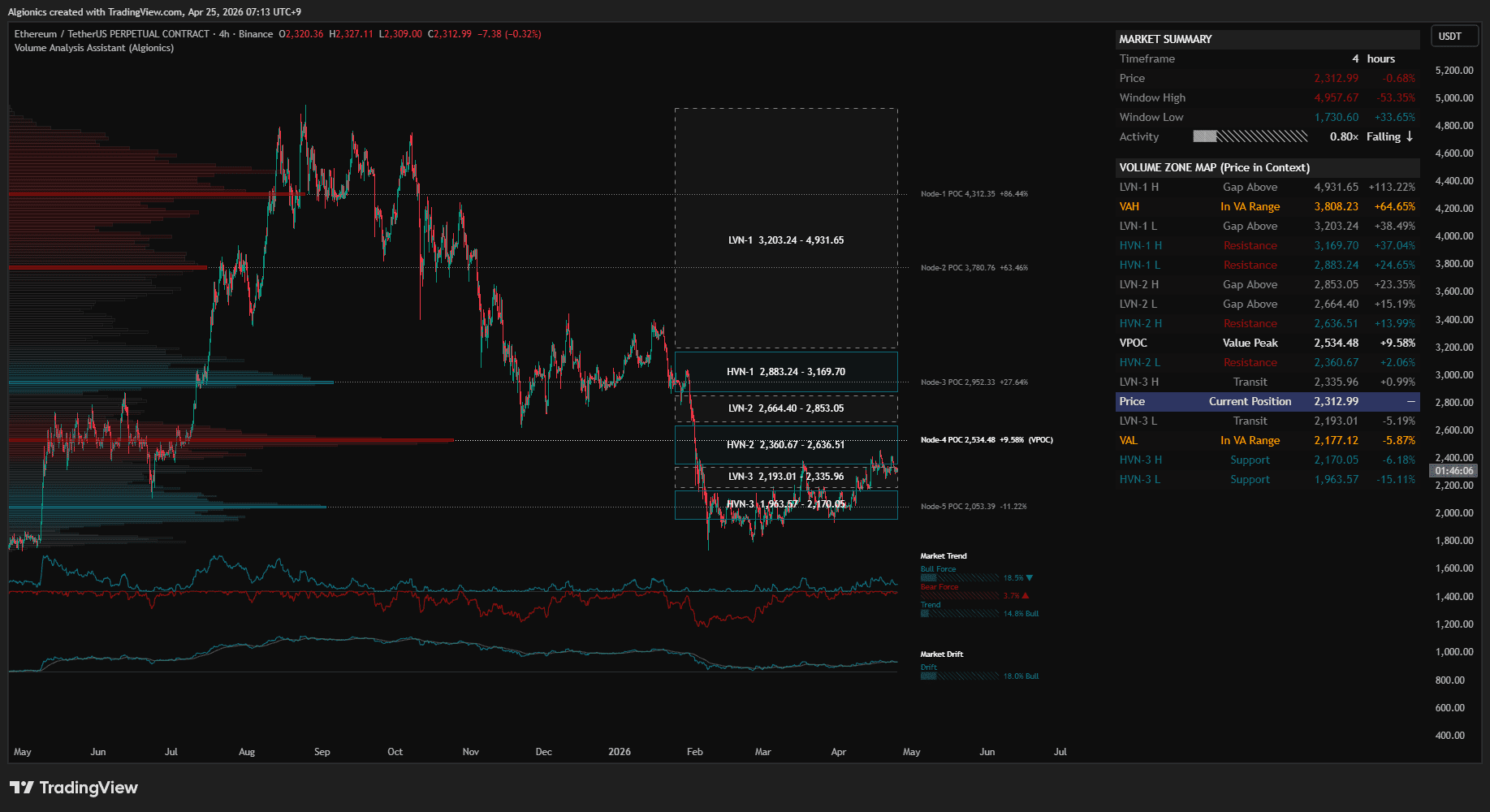
Screenshot from TradingView
If you think this is just another VA, you're in for a surprise!
VA showed you where. This one tells you what it means.
Every tool calls itself a "Volume Profile" these days. Most render in a second. We honestly don't know what they're computing in that time.
Volume Analysis Assistant takes five seconds to render. Sometimes more. We optimized everything we could, and it still takes five seconds. Because it's actually computing. Structure, liquidity, momentum, and analysis. All connected.
They render. We compute.
The Analyst
01
"Charts speak now."
Every other indicator hands you numbers and walks away. RSI gives you 70. Volume profile gives you rows. Structure tools give you lines. You are the one who has to sit there and figure out what any of it means right now.
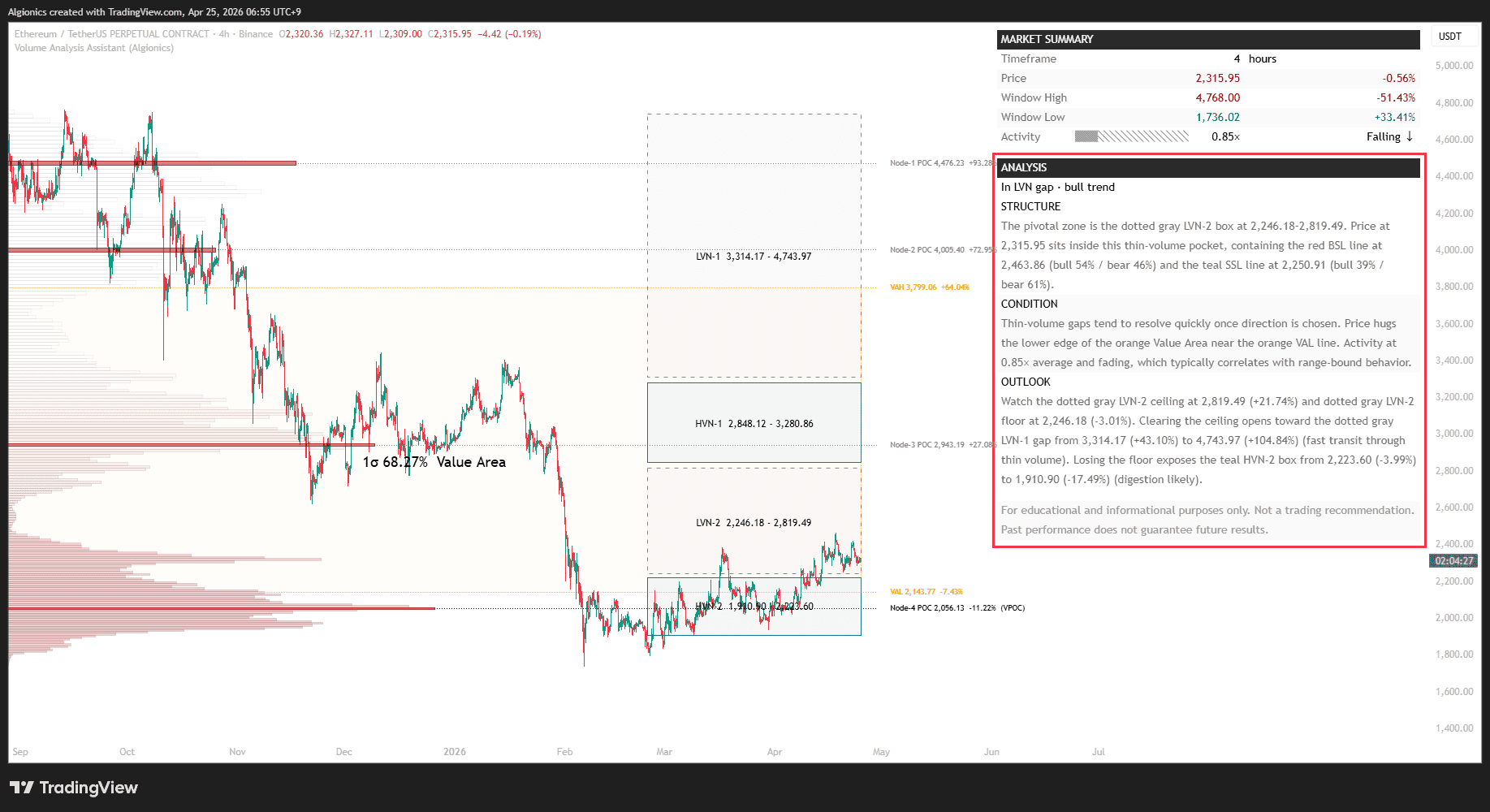
Volume Analysis Assistant reads the chart for you.
Every bar, a full structural read is written out in plain sentences. Where price sits, what surrounds it, what breaks next, what the force is doing.
The analysis comes finished, not as raw data to decode.
The Cartographer
02
"Lines you didn't have to draw."
Every volume profile draws rows. Every structure tool draws lines. Every liquidity indicator draws levels. Then they leave you to decide which ones matter, which ones to keep, and which ones to redraw tomorrow when the market shifts.
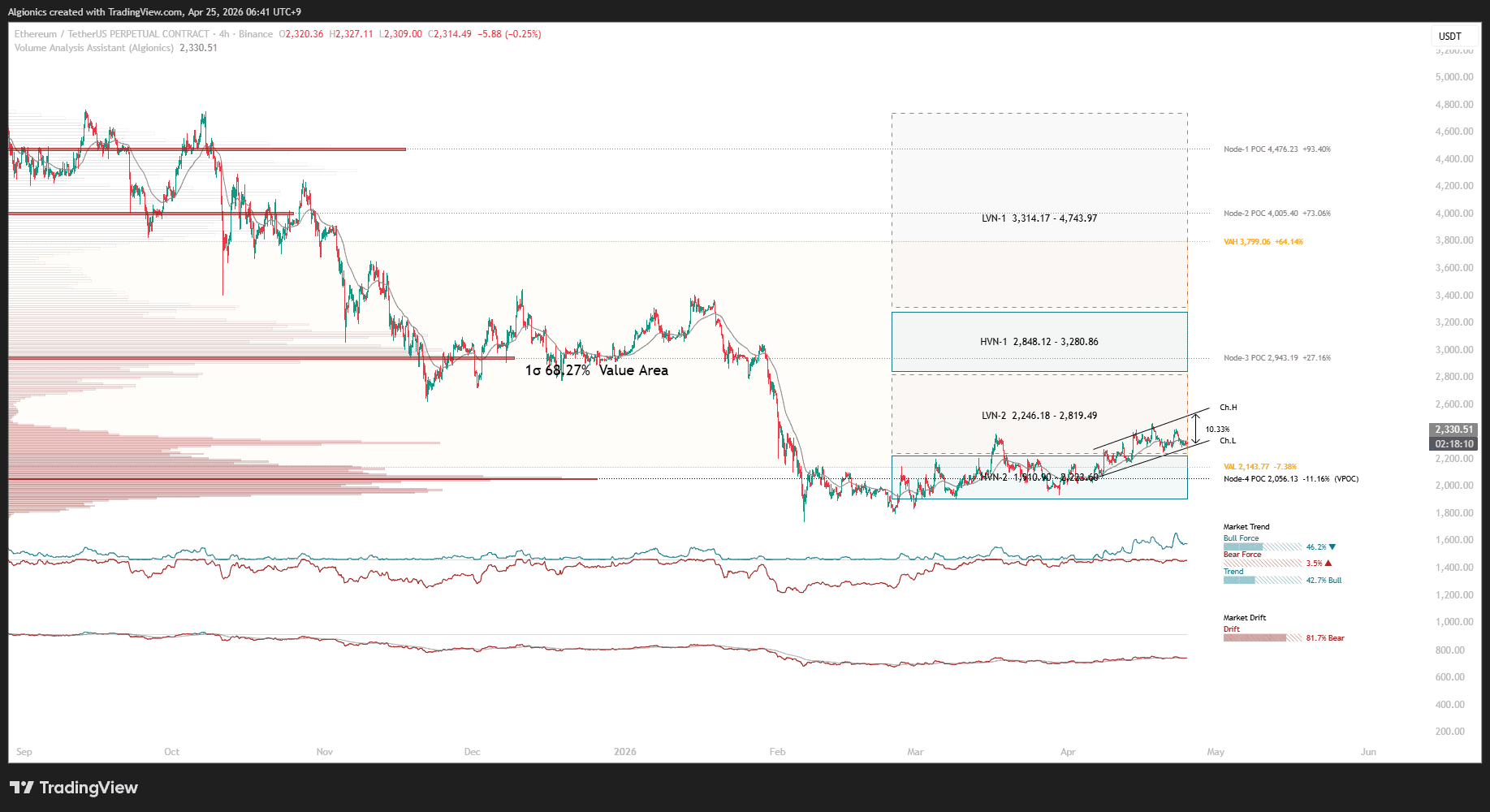
Volume Analysis Assistant places every line for you.
High volume nodes, low volume gaps, buy side and sell side liquidity, break of structure lines. All detected, all drawn, all updated every bar. You never draw a line, and you never miss one.
The Pulse Reader
03
"The force is measured, not felt."
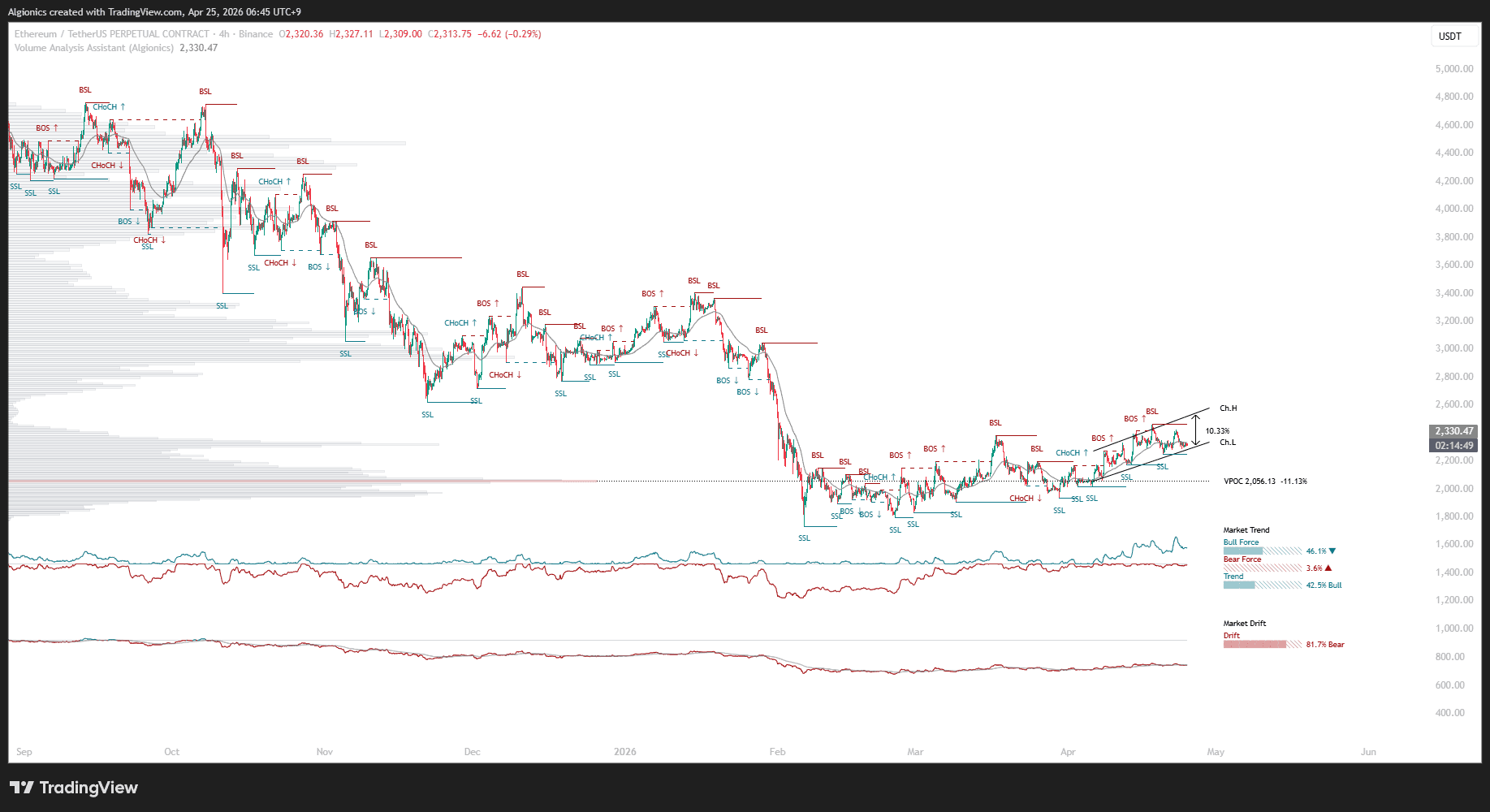
You watch the chart and ask yourself if momentum is building or fading. You count green bars. You squint at volume. You guess. Every decision comes down to a feeling, and every feeling is different at 3 AM than at noon.
Volume Analysis Assistant measures the force for you.
Bull force and bear force, drift direction, structural shifts. All expressed as numbers, updated every bar. When the break of structure happens, you see it named and flagged in real time, not three bars later.
The Context Keeper
04
"You know where you stand. Always."
You know the levels. The volume profile is there, the nodes are there, the liquidity is there. The work is connecting all of it to the current price. Where am I right now, relative to everything on the chart? That question still takes effort, every single time.
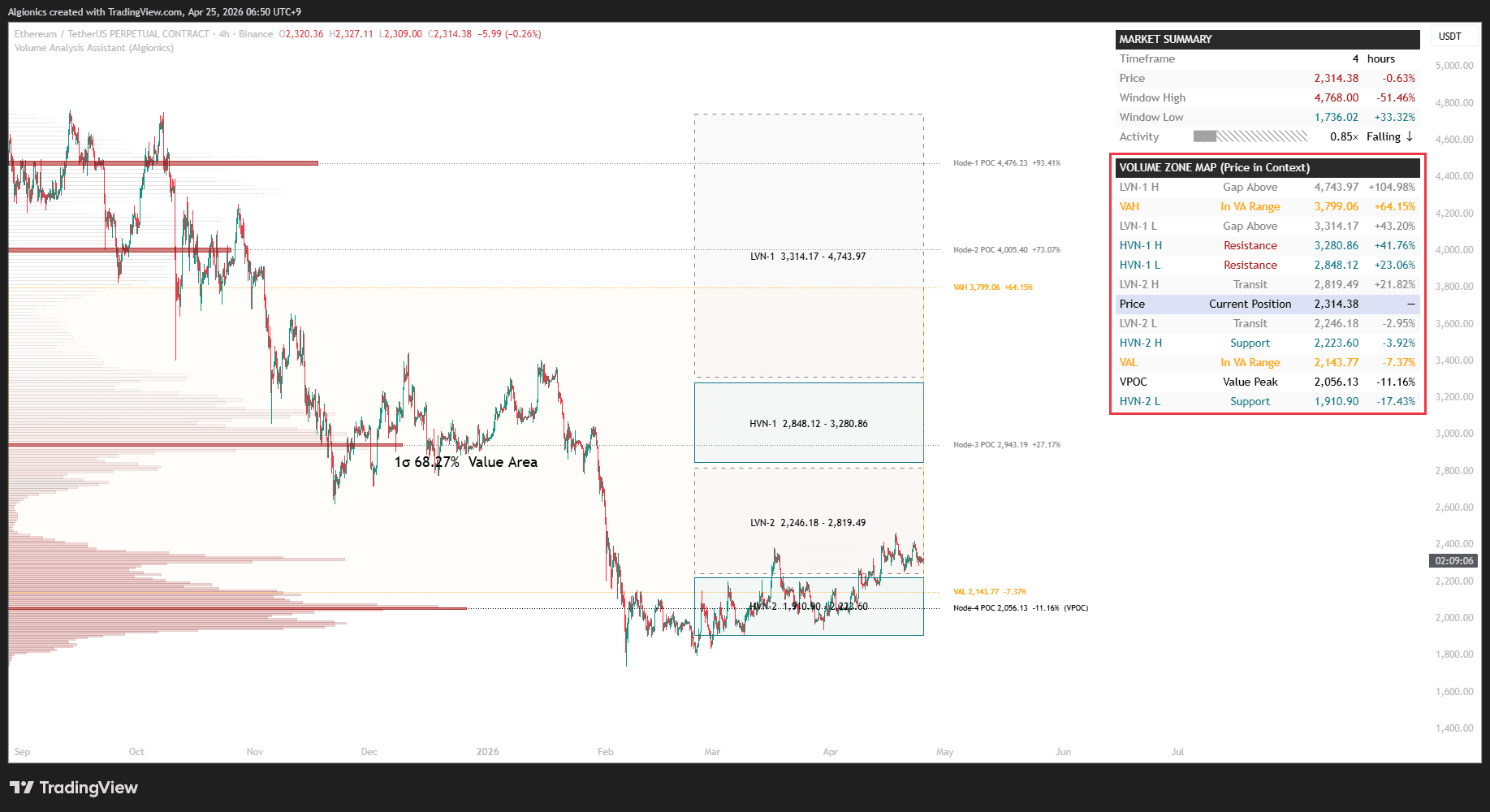
Volume Analysis Assistant keeps the map in view.
The current price is placed inside the full structure, every bar. Above or below value area, inside which node, how far from the next liquidity level, which direction the force is pointing. You don't need to put on your glasses to know where you are.
Built Your Way
05
"Turn it on. Turn it off. Your call."
Every layer, switchable. Even each table section.
Most indicators give you everything at once and call it "comprehensive." The chart turns into a mess of overlapping lines, bars, and tables. You spend more time hiding noise than reading signal.
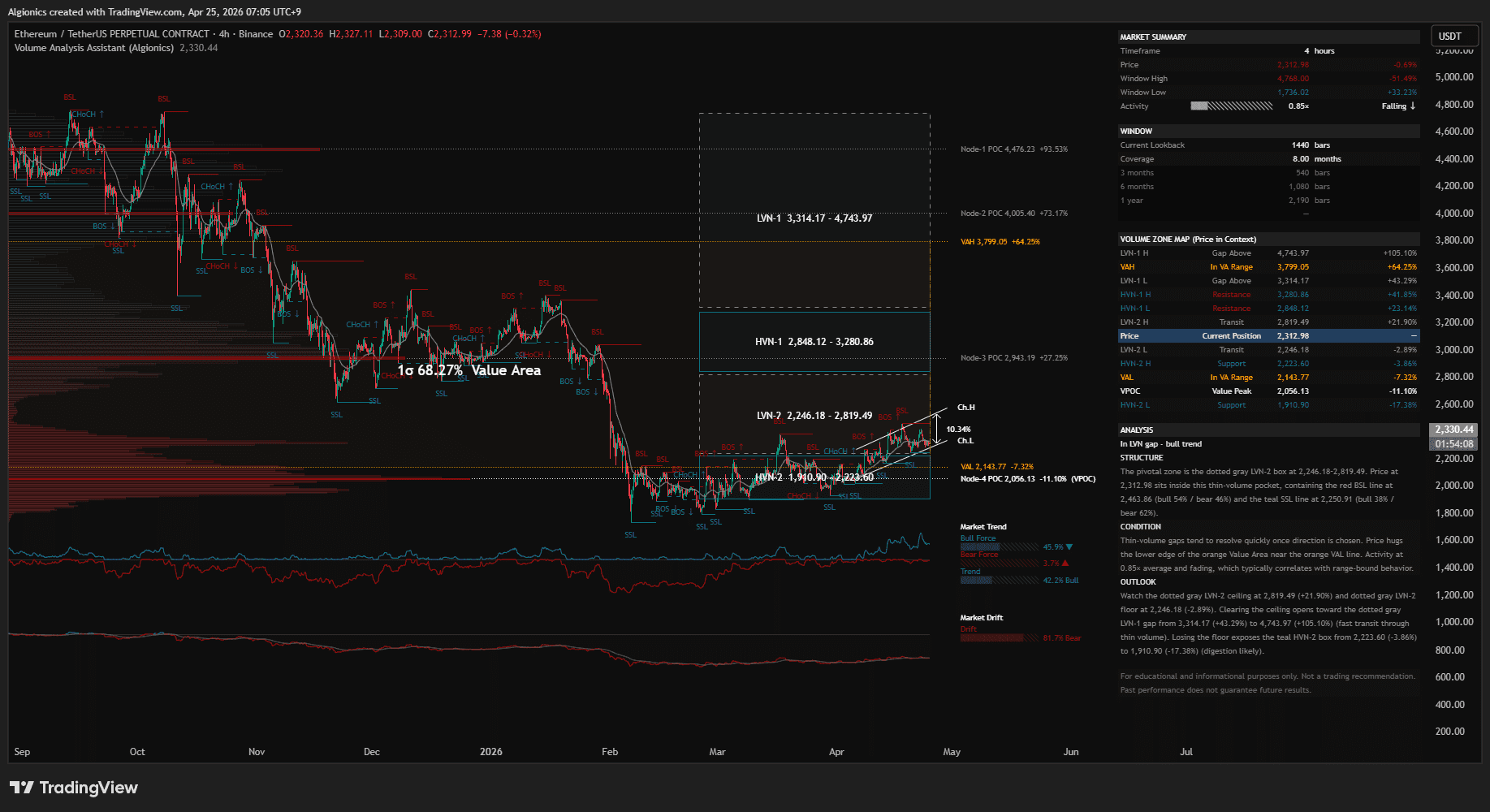
Volume Analysis Assistant lets you see what you need.
Prefer dark mode? We built for that.
Too much on screen? Toggle any layer off.
Don't want the table? Hide it.
Volume nodes, liquidity lines, force readings, equilibrium, channel, analysis engine, every element can be turned on or off independently. The chart is yours, not ours.